iPhone Setup
Adding your Carnes Family email to your iPhone is very simple.
Start by tapping the “Settings” icon on your home screen.
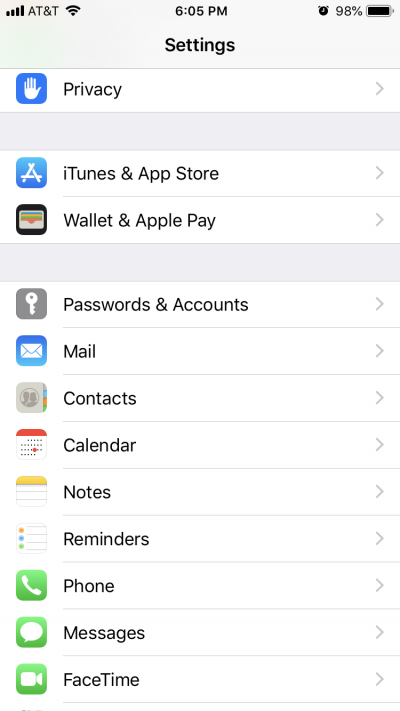
Then tap “Passwords and Accounts”
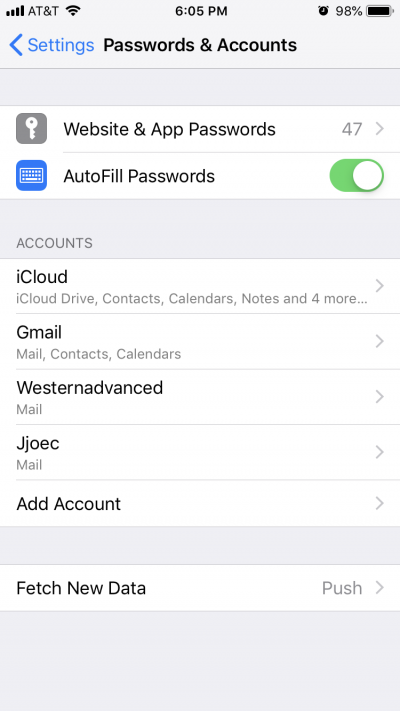
Tap “Add Account”
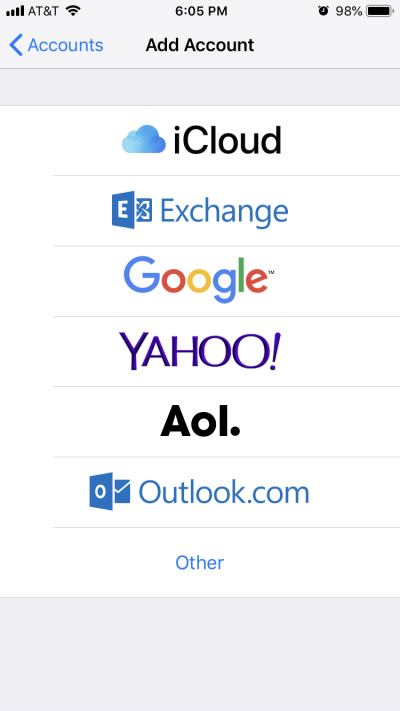
Tap “Other”
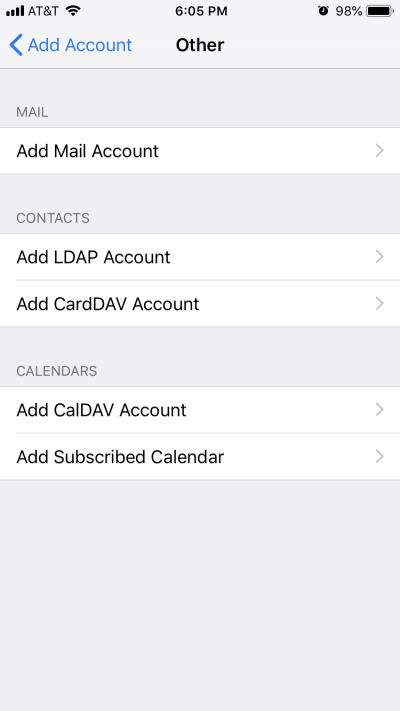
Tap “Add Mail Account”
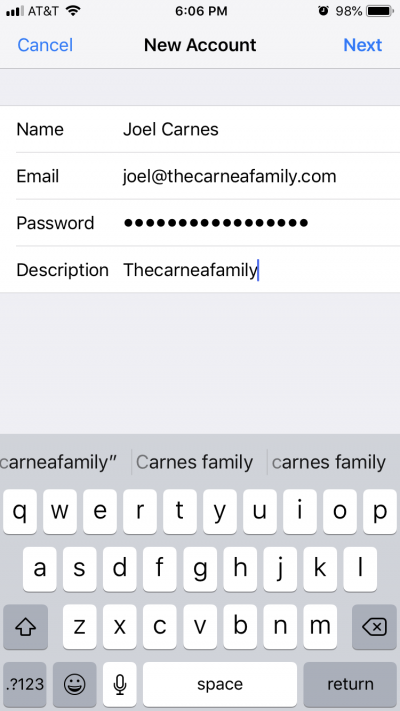
Enter your name, your @thecarnesfamily.com email address, your password, and a short description in the fields provided, then tap “Next” at the top right of the screen
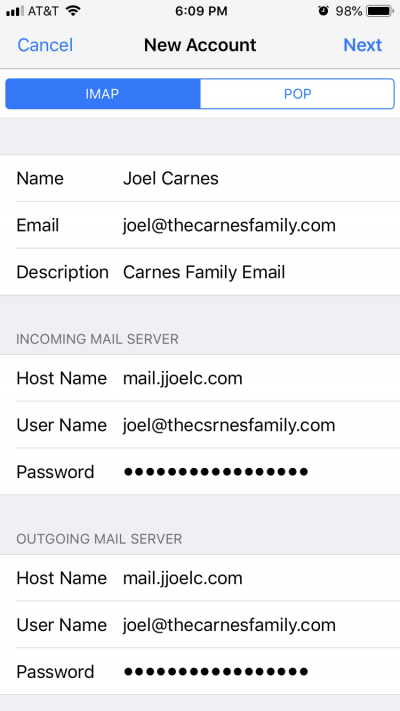
Make sure IMAP is selected at the top. The for Incoming and Outgoing servers both, enter the following information: Host name = mail.jjoelc.com